

A pc headset for gaming is not judged the way an office headset is. On a shared desk the questions are clamp force and cable routing; at a gaming station they are how much low end the driver produces, what source the impedance asks for, and where the pads and headband start to hurt after a long session. This guide takes that player-first view. It covers the 40 mm driver, the 32 ohm load and USB plug, the boom mic position, the reach of the cable and inline controls, and the wear points that appear over hours of play. Buyers for gaming venues and small distributors will find the acoustic criteria that matter, not the desk layout. 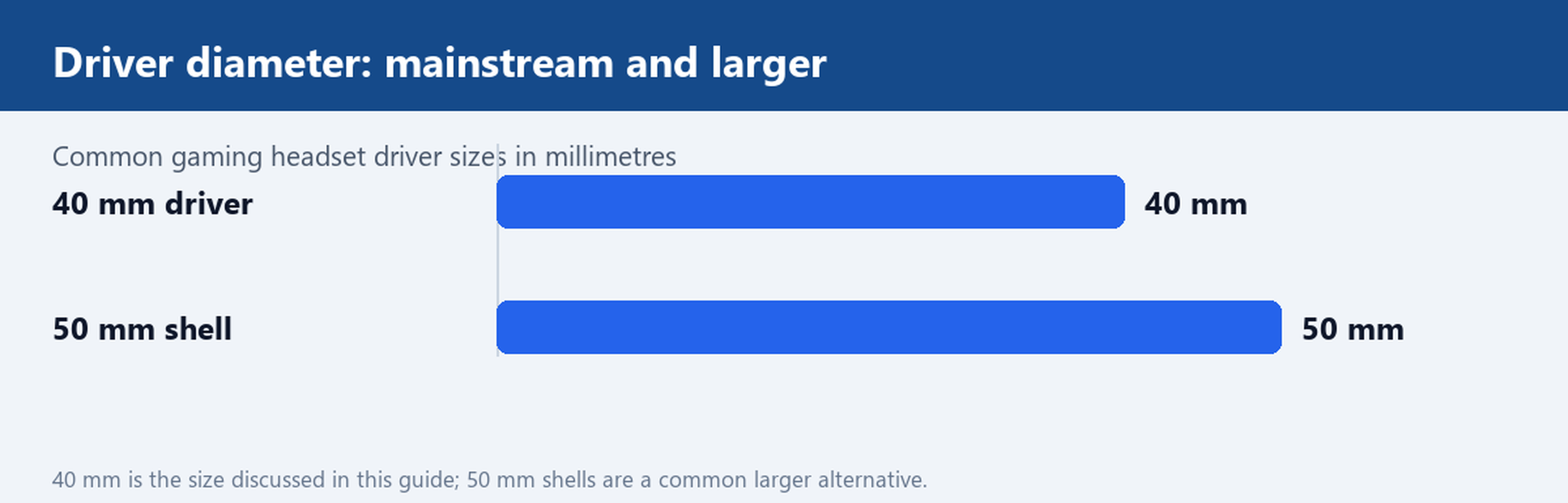
What a 40 mm Driver Changes in Game Audio
The driver diameter sets the character of the sound before any tuning is applied. A 40 mm unit is the mainstream size in this PC headset range: it moves enough air to give footsteps and low-frequency effects real body without the boom that larger shells can add. Shells around 50 mm are a common larger alternative when a model is tuned for heavier bass, but they also ask more of the ear cup depth and the headband clamp. For a player, the useful question is not the biggest number on the spec sheet. It is whether the bass stays defined at high volume: a well-fitted 40 mm driver gives a tight low end that keeps directional cues readable, while a poorly damped one turns every explosion into a smear. Ask the supplier how the driver is damped and whether the quoted size is the diaphragm or the outer shell, because the two are often reported interchangeably.
32 Ohm and a USB Plug: Matching the Headset to the Source
Impedance decides how easily a headset is driven. At 32 ohm, a gaming headset runs from a motherboard jack, a laptop output or a low-power USB adapter without needing a dedicated amplifier; that is why this figure suits both a personal rig and a row of stations in a gaming venue. A USB plug changes the question: the digital-to-analogue conversion happens in the cable or the cup, so the headset presents a load to its own built-in chip rather than to the computer. The practical check is the level at low system volume and the absence of hum or hiss on a quiet track. A weak source driving a higher-impedance model sounds thin and does not reach useful volume; a 32 ohm, USB-terminated unit avoids that mismatch. Confirm with the supplier whether the plug is USB only or whether a 3.5 mm lead is also supplied, since not every station has the same ports. 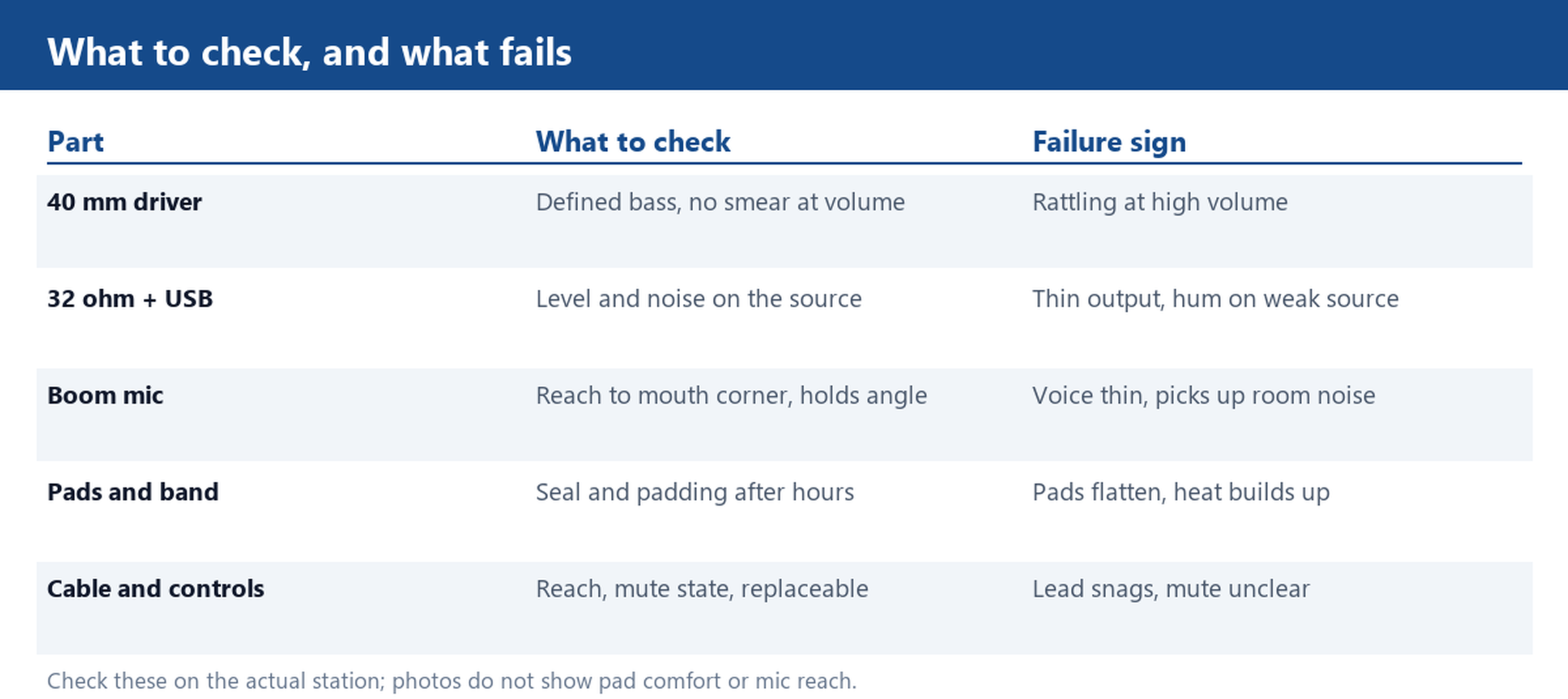
Boom Mic Reach and Where It Sits Off the Mouth
Team chat lives and dies on microphone placement. A boom that reaches to the corner of the mouth picks up the voice clearly while staying out of the breathing path; one that stops short leaves the voice thin and pulls in room noise and keyboard clatter. The usable criterion is reach plus a flexible joint that holds its angle after repeated adjustment. A mic that springs back or will not stay off-axis will drift between players on a shared headset. For bulk buyers the test is simple: say a short line at normal volume, then move the boom a few centimetres and listen to how much cleaner the voice becomes. A design that needs the tip pressed against the lip to sound acceptable is a design that will fail in a noisy venue. Note whether the mic is fixed or detachable, as that changes both the replacement cost and how the headset is stored between sessions.
Cable Length and Controls Within Arm Reach
Long sessions expose cable and control choices that a short bench test misses. A lead that just reaches the desktop pulls on the headband every time the player leans back; a longer run gives room to move but needs managing so it does not snag under a chair. The useful range for a station is set by where the PC sits relative to the seat, so measure that distance before specifying the cable. Inline controls matter for the same reason: volume and mic mute should sit where the hand naturally rests, not halfway down the lead or up at the cup. Check that the mute control has a clear on-off state, because a player who cannot tell whether the mic is live will either talk over a dead channel or stay silent. For gaming venues, ask whether the cable and inline module are replaceable, since they are the parts most likely to be damaged by repeated chair movement.
Wear Points That Show Up After Long Sessions
The parts that fail first on a gaming headset are the ones that touch the player. Ear pads compress and lose their seal over many hours, which reduces bass and lets in outside sound; breathable covers keep heat down during long runs and are worth specifying for venues without strong air conditioning. The headband padding flattens at the crown, and the slider or hinge is where a shared headset most often develops looseness. None of these show up in a product photo, which is why a fitting test is more useful than a spec comparison at the ordering stage. Send us your target price tier and we will ship a sample headset for a fitting test, so you can judge pad comfort, clamp and mic reach on the actual stations where the headsets will be used.
